OSEP in 2025 — experience, advice & criticism
OSEP is more of a marathon than a race. This post narrates my experience, contains advice for students, and a review of the course.
OSEP in 2025 — experience, advice & criticism
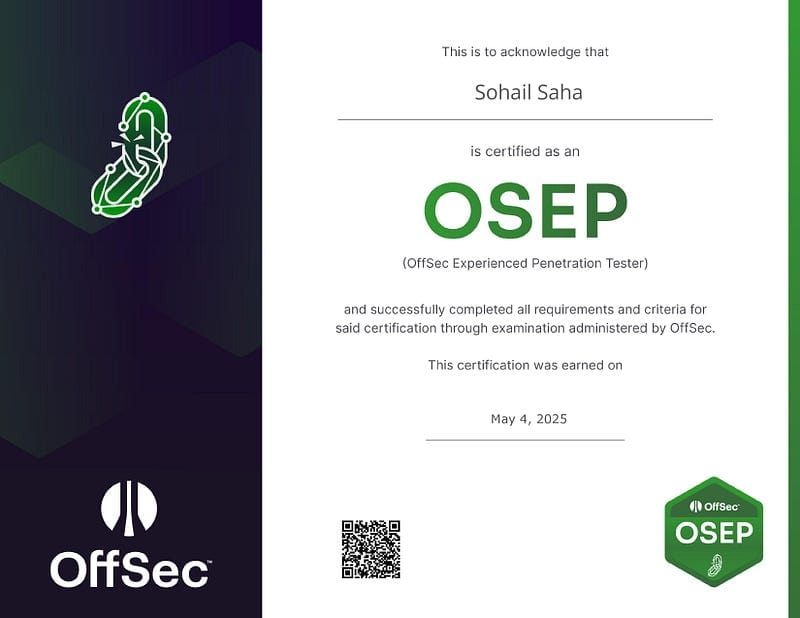
I received an email today from Offsec — I had passed the OSEP exam that I took last week. Unlike the OSCP that felt like a short race, my experience preparing for the OSEP is the opposite of a race. So I wanted to take the time and write out my experience and advice for future OSEP takers, and review the course.
Experience
I started the course way back in the first week of January, right after getting my OSCP. If you’re reading this, you’ve already checked out the course curriculum, so I’m not gonna waste time discussing about it.
It took me nearly 2 months to finish the material. Unlike OSCP, I found the OSEP material to be fairly comprehensive. Most modules come with a lab, on which you can try out what you just learnt.
In March, I had an “idea”. I decided to write my own C2 from scratch, in C++, just to see if I could. The plan was to use it for the exam. No, the OSEP course neither teaches nor requires you to do this. It was a challenge I gave to myself. I spent a month on it. I wrote the server, client and agent. Though it was fun to see things working, I won’t lie, at times it was tiring. I wrote till filesystem functions in my C2 agent (with process, service, registry, etc planned after that), but after that I was completely burnt out. Writing a comprehensive, reliable C2 is harder than I thought. But my architecture is stable and expandable.
With time running out, I decided to instead not waste any more time, and prepare for the exam. I spent the entire April solving the labs. I spent 70–80% of this time writing my own payload generators for the challenges. I figured that since I don’t have my own C2, the next best thing I could do is write stagers for Metasploit C2s. I spent a LOT of time debugging, learning, and in the end had my own “framework” for generating payloads. With my generators, every stager worked stealthily out of the box — no configuration needed. That was the point. I’d read other OSEP-takers’ experiences, and they all mention that initial access took them way longer, hours. I wanted mine to only take minutes. “Automate what you can”.
On 29th March, having finished all 8 labs, I took the OSEP exam. I started around 4pm. Initial access took me 30 minutes. After that I cruised a quarter of the way, before getting stuck on something. I spent the entire night in anxiety, because I could not see a way forward. Let’s just say, that the lab wanted you to try “Thing A”, but it didn’t work (more in the Criticism section). After many more hours, I tried “Thing B”. There’s no way to know if it would even work. But it did, and I then charged forward. This stupid thing took me longer than the rest of the exam combined — I could’ve easily gotten my 10 flags in <8 hours.
By around 9pm next day, I had 15 flags (150 points). I know that 100 is the minimum, but I wanted to go for some extra in case my report isn’t that good. With that, I decided to quit, and focus on the report. I was VERY CLOSE to the “secret” objective. Next day, I spent maybe 4 hours for the report, then submitted it. And after 4 days (including weekends), I got my result. I had passed.
Advice
Write your own payloads
My first and foremost advice — if you can write a payload, write it yourself. The simplest (and most effective) way to evade most static (and even some dynamic) AV detections is to simply write your own stuff.
For this, you MUST know how to code in C#/.NET, Powershell, C/C++, JScript and VBA, and understand how the software you’re targetting integrates with Windows Security (Defender). It might seem daunting, but trust me, with practise, it becomes second-nature. Read and understand tools/payloads written by others, and use them as reference. Read the docs too.
EVERY SINGLE ONE of my payloads worked as is on all targets; none of them ever got detected. I spent maybe 80–90% of my time writing my own payloads, so that during the other 10% of the time (when I’m solving the labs or going through the exam) I don’t have to spend even a minute trying to struggle against AV. And it worked.
Also, maintain a repository of all of your tools. Make sure they’re all ready to use at a moment’s notice, and reliable in every environments. Don’t take shortcuts and don’t avoid edge cases.
These are the custom tools you’d need to write:
- Stagers: Powershell, VBA, C#/.NET, JScript. They fetch XOR-encrypted Meterpreter payloads over HTTP and execute it. And please choose more than one byte for the encryption key. Encrypt it yourself. Write a Python3 script for this. And add AMSI bypasses.
- Powershell executor: C#/.NET. This executable behaves just like how Powershell.exe does, with 2 major additions — it patches AMSI, and it bypasses CLM. Whenever you need Powershell, just run this on the victim.
- UAC bypass: C#/.NET. I used the Fodhelper trick. It’s easy to pull off, but effective even in modern Windows.
- MSI installers: Use Visual Studio to generate your own .MSI installers that can execute hardcoded pre-installation tasks — commands that you’d execute to do something, like create a new local user, run an EXE, etc.
- Named Pipe impersonator: C#/.NET. Starts a named pipe, listens for connection, reads a byte, then impersonates the pipe client and launches a process with the impersonated token.
Know your own tools
Know tools for every situation. Keep them locally, so you don’t have to go looking for them everytime. Know how to configure your tools for specific situations. Read the --help , and avoid cheatsheets.
Simplicity > Complexity. Whatever works, works. For the choice of C2, just use Metasploit. With your own written stagers and customised C2 profile (with whatever the Community edition allows you to modify), Defender will NEVER find you. Make use of “resources” (scripts that consist of sequential Metasploit commands) to automate setting up listeners and generating 2nd/3rd stage shellcodes. Choose HTTP listeners/stagers. Metasploit is more powerful that what most people will have you believe. But you need to know how to use it.
Here’s what a Metasploit .rc (resource) file looks like. This is directly from my own toolkit. It starts a reverse HTTP listener.
use multi/handler
set payload windows/meterpreter_reverse_http
set LHOST tun0
set LPORT 80
set EXITFUNC thread
set LURI /login
set ExitOnSession false
set HttpReferer http://umbrella-soft.com
set HttpServerName ESF
set HttpUserAgent "Mozilla/5.0 (Windows NT 10.0; Win64; x64) AppleWebKit/537.36 (KHTML, like Gecko) Chrome/131.0.0.0 Safari/537.36 Edg/131.0.0."
set PingbackRetries 3
set PrependMigrate true
set PrependMigrateProc werfault.exe
run -j
In addition, maintain a Kali Linux and a Windows VM for use, and take snapshots. VSCode has a memory leak somewhere, and it crashed my exam VM so many times. But since I had snapshots, it was only a momentary inconvenience for me.
Practise & Prepare a methodology
Methodology is often just asking the same question at each step — “What do I have in my hands, and what can I do with it?”. Answering this takes you further. You need to practise this, extensively. For every situation, you should know how to abuse it, either by itself or with others.
Complete each of the challenge labs, especially CowMotors (challenge 7) and Denkiair (challenge 8). They used to be active exam environments, and will give you a great practise.
Take extensive notes
This goes without saying. Take GOOD notes. Don’t be lazy. If you learn something new, write it down, and properly index it. Make sure that your search actually takes you here when you search it days/weeks/months later.
Save all code snippets, commands, descriptions of softwares, enumerations/abuses, everything. In short, it’s your own “HackTricks” — your own knowledge repository. Knowledge repositories are great both for referencing as well as revisions.
As for note-taking during the exam/labs, make sure to note the Attack path, individual host nmap scans, credentials and every loot. Your notes should be such well structured, that the report becomes just a 1:1 copy of it. Your notes should also include screenshots. You won’t have the headspace later to go back for screenshots, and nor should you. Screenshots are not just “what”; they’re also “when”.
Also, DO NOT take notes on the exam VM. A VM is supposed to be disposable. Notes are not.
Rest. Don’t become me.
Caffeine does not energise the body. It inhibits sleep. In other words, you won’t be less tired. You just won’t feel the tiredness. There is no substitute to good rest. It vitalises the brain, and restores creativity. You are nothing without “creativity”. Creativity links facts into strings, strings become attacks.
Take adequate walks. Eat good food. Hydrate. Enjoy the experience. Life is not meant to be a struggle for the sake of struggling. Give yourself all the chances.
Criticism
This part of my post is for Offsec. It discusses my problems with the course, and how it could be reasonably improved.
Phishing victim simulations are painful
> Hey Thomas! I’m a dumbass and I will click on any HTA file you send me.
If you saw this in any lab, you’d rush to send the person an HTA file. That’s the vector, right? Yet, in some labs, you would not get a response. It’s not that your payload does not work. It’s just that that “victim” is using regex to parse “LINK” and only click on LINK. You may have been trying with an attachment or just plaintext email thus far.
The above is just an example, but there were several situations when it’s difficult to know how the victim simulating script on the victim machine actually works. It behaves differently than a human would, and so, you’d have to be exact. Sometimes, documents need to have a particular phrase. Sometimes, they must have a particular structure. Sometimes, a particular format. Sometimes, they must finish executing within 4 seconds else the victim software closes.
I wish the victim simulation was more life-like.
Outdated AV signatures
It’s 2025. The labs mostly have AV signatures from 2020, with some from 2022 maybe. It does not represent an updated corporate environment. So many vectors taught in the course will get flagged in a second if you actually tried that today somewhere else.
Why don’t you try the InstallUtil trick in an updated Windows to bypass AppLocker or any whitelisting solution? See what you get.
Inadequate phishing contents
I felt the phishing contents to be lacking, with many “new” phishing modules to be a word-for-word copy of already existing modules. I wanna know more than old-school techniques that modern security would flag without a moment’s hesitation.
Inadequate Active Directory contents
Active Directory was scarecely expanded upon. Neither the OSCP nor the OSEP does a good job with AD. AD environments have gotten so much more complex today, but the lab environments do not reflect that. The attack surface is so much wider today, but the course barely explores it. An “expert” level certification should teach more.
Pricing
I have no problem paying for a GOOD course. But the above inadequacies make it very difficult to justify the pricing.
Final thoughts
If your work requires the OSEP, then go ahead and get it. Follow my advice above, and you’ll breeze through. If you’re learning only for yourself, there are far more effective courses out there, and they are much more updated.
The OSEP has received some recent updates though — a new lab (Denkiair), and a new module (ADCS). This makes me think that they’re in the process of updating stuff.
Like everything, there’s no silver bullet. Each course is a pillar. You need multiple to build something that stands.